

1) Remove spyware, remove virus, remove Trojan.
2) Speed up Windows boot time. Increase PC performance.
3) Make everyday PC usage more convenient.
4) Learn more about what is going on under the hood.
1) Security:
- Startup monitor: alerts on new startups, block undesired startup programs
- Descriptions for 70 000 startup programs and services.
- Security analysis of processes, startup programs and Windows services.
- Send files for check to VirusTotal.com with one click.
- Startup manager: manage all programs running on startup including services and Internet Explorer toolbars.
- Light virus protection. Remove spyware, remove virus, remove Trojan.
- Anti-rootkit tool.
- User comments for security risk level for processes, startup programs, and services.
- Permanently block undesired processes
2) Increase PC performance:
- Delayed startup: speed up Windows startup process.
- Limit the CPU usage of processes that eat a lot of CPU
- Save changed priority for processes
3) Make everyday PC usage more convenient:
- Minimize windows to system tray and save taskbar space
- Quick access to last launched programs and last opened folders in system tray
- Set windows 'always on top'.
- Change windows transparence.
- Change windows size to 640x480, 800x600, 1024x768.
4) Replace Windows Task Manager:
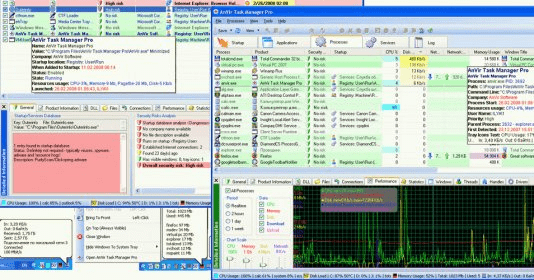
- Task manager: monitor processes, services, Internet connections, CPU, disk, memory, DLLs, drivers, locked files, threads, windows.
- Dynamic icons in tray for CPU, memory and disk load
- Suspend / resume processes and threads.
- Find locked files and DLL.
- Log of processes start and stop.
- Graph of processor, memory and disk activity for each process and for computer.
- Processes performance statistics
Benefits:
- Compatible with all popular antivirus , complement antivirus software or make it unnecessary.
- Can replace Windows Task Manager.
- Attractive user interface. Handy presentation of information.
- Can run as portable application.



Comments